
I tried VoiceAttack one weekend. Before I could say a single word mid-game, there was a whole editor waiting: build the game profile, map every action by hand, write the logic in its own scripting language. I closed the editor without having said a single command.
Writing that scripting layer would have been the easy part. We wanted something genuinely harder: it had to work the moment you spoke, for the specific game you were playing, with nothing to configure first.
The problem we kept running into
Complex games put a lot on the keyboard:
- Elite Dangerous has entire panels of ship functions bound to key combinations most players never fully memorize.
- Euro Truck Simulator 2 stacks indicators, lights, and cruise control on top of the usual driving keys.
None of that is a design flaw — it's just more controls than ten fingers comfortably manage. The usual fix is muscle memory, built up over dozens of hours.
We wanted to skip that step, not work around it with a cheat sheet taped to the monitor.
What we looked at first
Before writing a single line of EchoControl, we tried the options that already existed:
- VoiceAttack — the closest match to what we wanted, but every game needs its own profile, written from scratch in its own scripting language. Powerful, but it's a whole second program you have to learn first.
- Windows Speech Recognition — built for dictation and clicking around the desktop, not instant input mid-game. It reacts to background noise far too often for real gameplay.
- Talon Voice — a genuinely great tool, but built for coding and text editing, not for mapping a spoken word to a single key while a game has focus.
None of these tools were badly made. They just weren't built for this specific job.
What we decided to build instead
EchoControl maps spoken phrases straight to keys, per game, from the very first minute. Say "reload" and the reload key fires — no macro to write, no wake word to remember, no menu to navigate first.
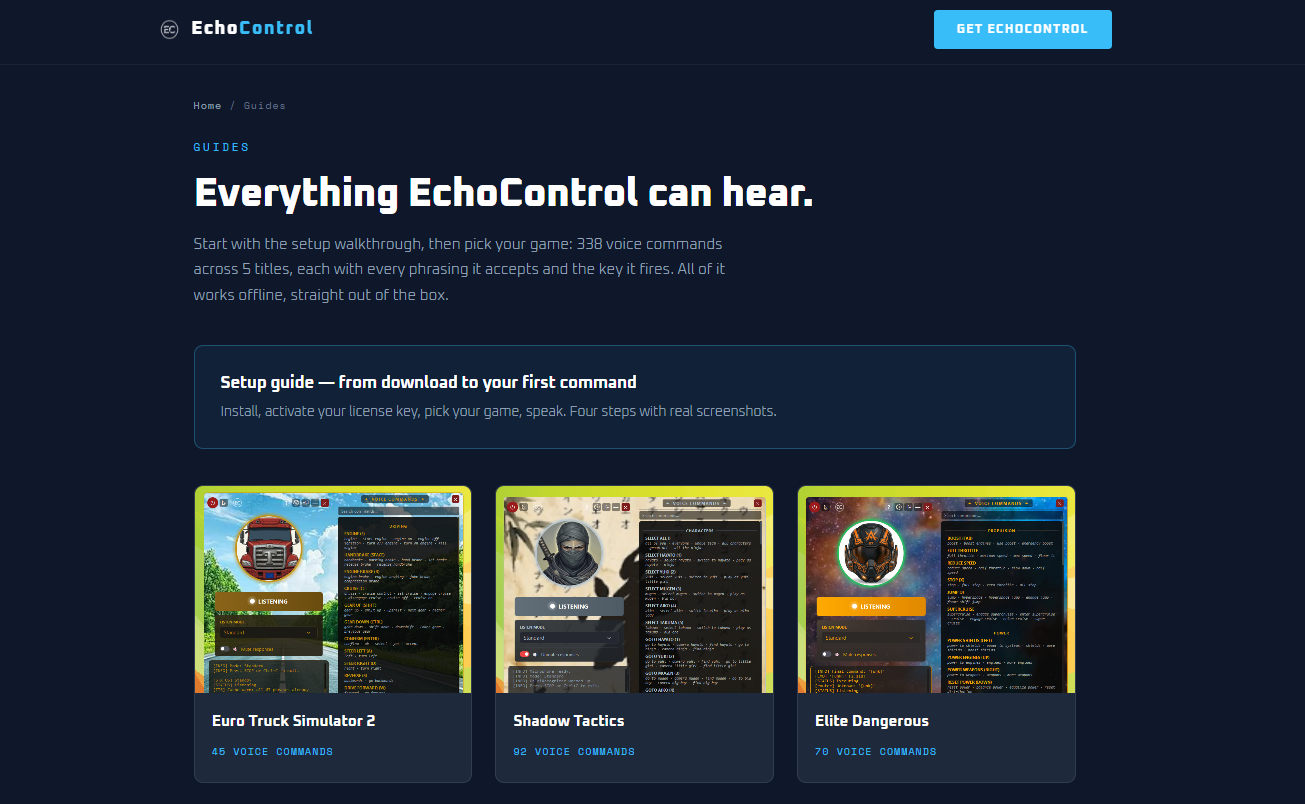
Recognition runs locally, on your own computer, not on a cloud server. A gaming PC already has the hardware for that, and sending every spoken command to a server adds a delay that a fast-paced game can't afford.
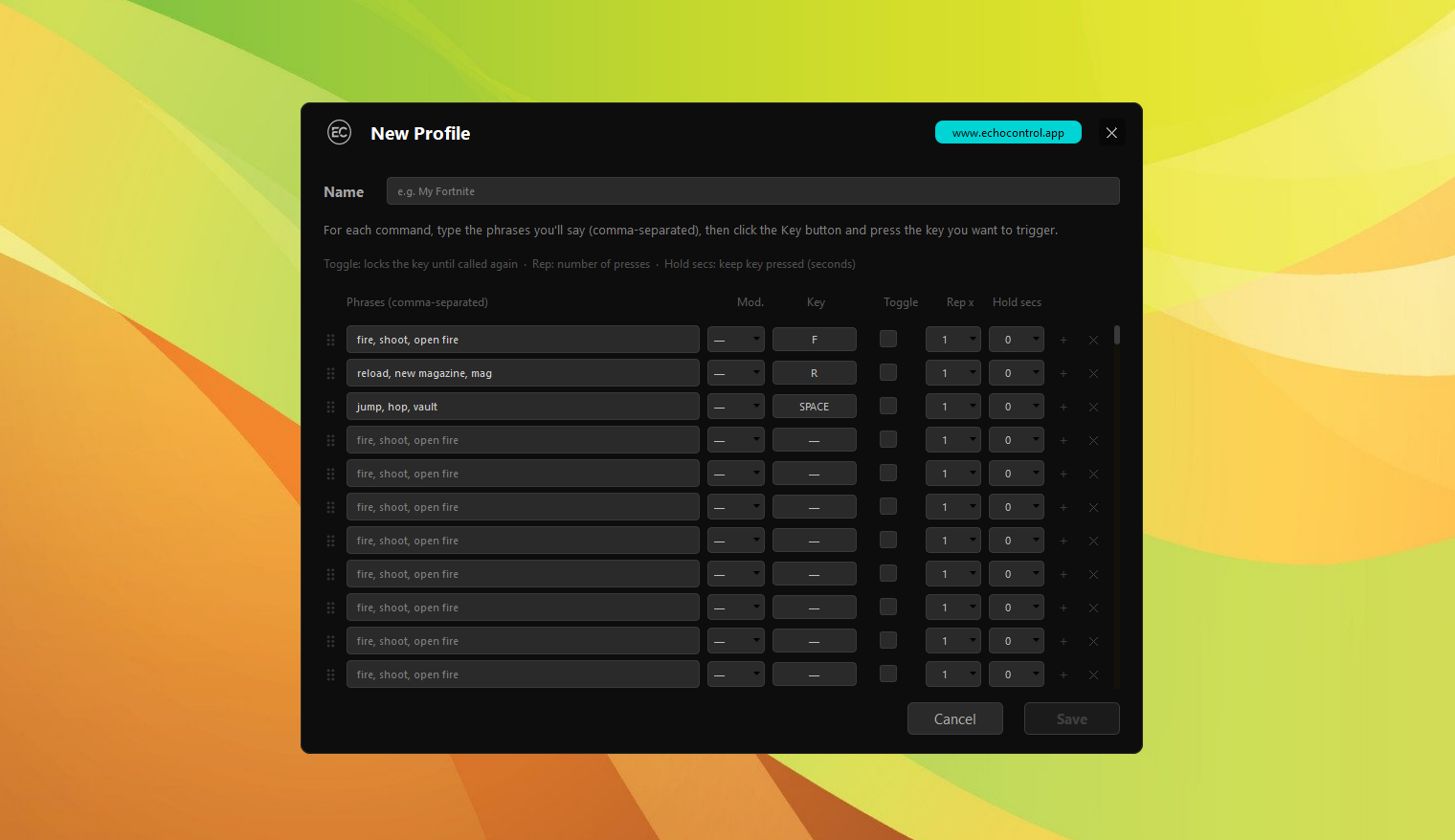
For games we haven't built a profile for yet, the Custom Profile builder lets you map up to 200 commands yourself, without writing any script.
What we're still not fully sure about
Fixed phrases are reliable, but they're also rigid — say a command slightly wrong and it won't fire, while a more flexible natural-language system might catch the intent anyway.
We chose reliability first, because a command that doesn't fire mid-fight is worse than a slightly stricter vocabulary.
That trade-off turned into what separates EchoControl from everything else in this category: doing less, on purpose.
Whether that's still the right balance as more games and more players use it is an open question, and one we expect to revisit.
That's the whole motivation behind EchoControl, in one sentence: simple enough to need nothing from you but your voice. If you'd rather see the result than keep reading about it, see it in action.